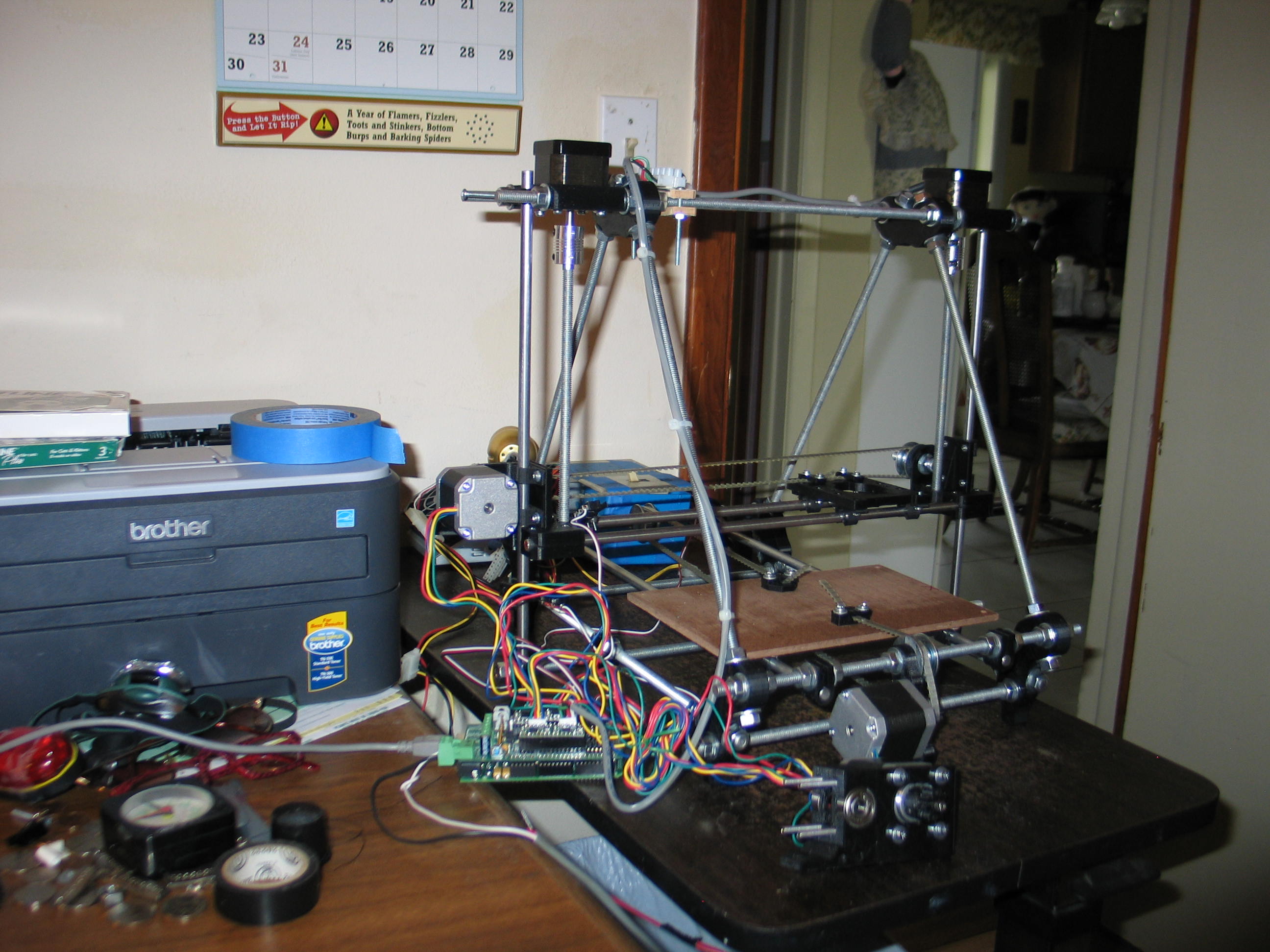
The mechanics are mostly done. The electronics just needed plugging in and testing. I moved the machine to a portable table and ran a USB cable to the computer.
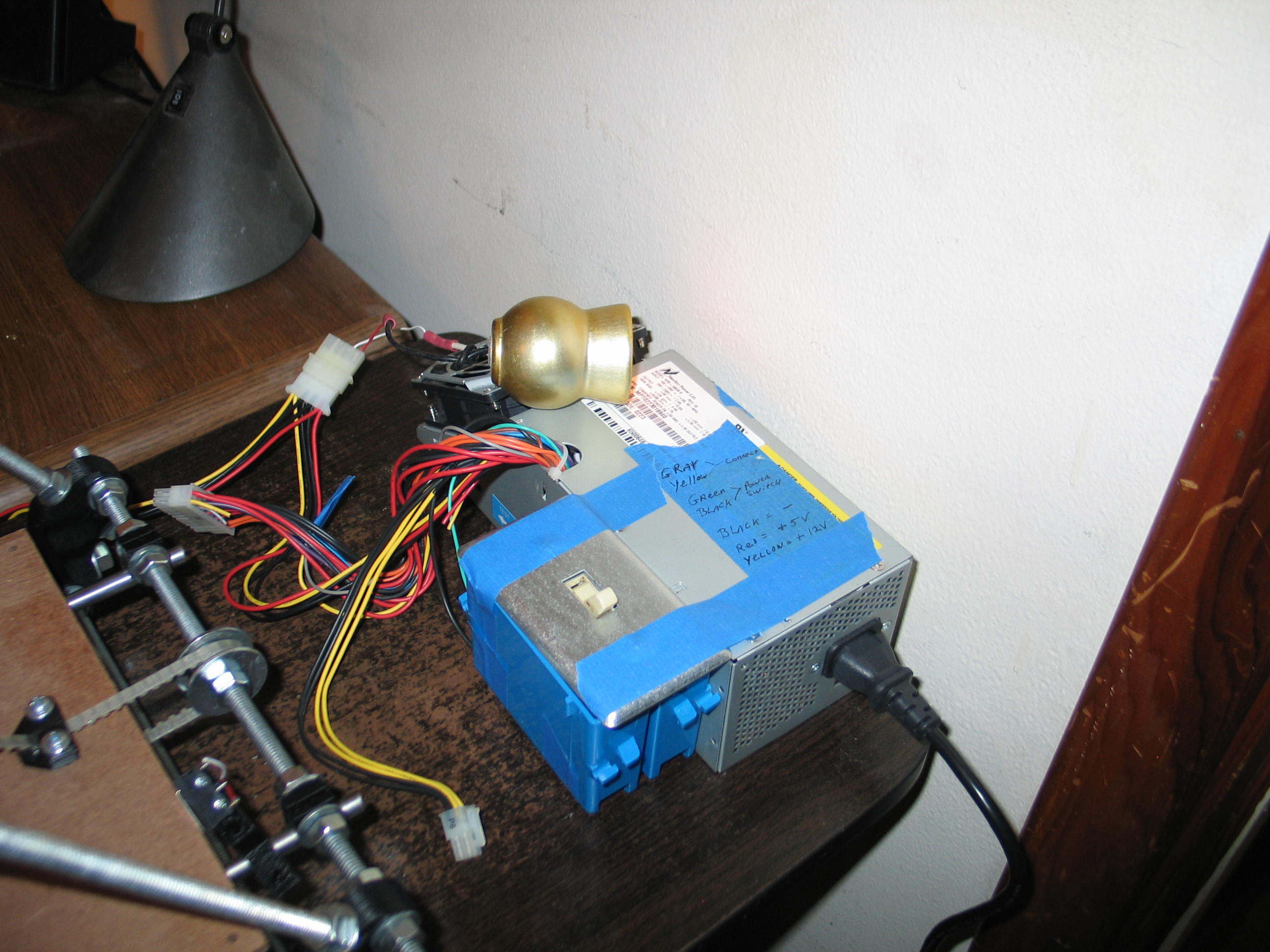
This is an old desktop
computer power supply. It looks funny because it was a proprietary
design and won't fit other computers. I made a bench supply out of it a
few years ago. I wired the computer switch wires
(green and black) to a household light switch in a plastic nail up box
with the nails removed. The gold thing is an automotive light fixture
holding a 12V bulb. The bulb is wired to the 5V side (red) and ground
(black) of the supply to load that line. This is necessary to get full
output from the supply. It also provides a low level light as a power
on indicator. It's on in the photo, but the flash overpowered it.
The 12V (yellow) line and a black ground go to the RAMPS 1.2 board to power the steppers.
This particular RAMPS board is missing the optional diode that powers the Arduino Mega. This means 2 things. 1)The Mega is receiving power from the USB cable, and 2) the steppers can be driven with a higher voltage than the Mega can handle.
The Pololu drivers can take up to 35 volts. This could be handy if you need more speed or power. Right now, 12 volts is plenty.
Good news! No smoke. Bad news, no motion.
I followed this video to set up Sprinter firmware on the Mega. This is what turns the Mega into a reprap motherboard.
It turns out you need more. I loaded the reprap console to drive it, but kept getting a GUI error. I gave up and went back to the reprap main page. Too many choices and paths to follow. I decided to ask for help. I wen to the reprap IRC channel (#reprap).
I asked three times over a twenty minute period with no answers. Everyone was talking about something more interesting.
Come to find out, the same guy who made the video above, Neil Underwood (Spacexula) has made a bunch of good videos!
I found this one on Pronterface and Sfact that did the trick for me.
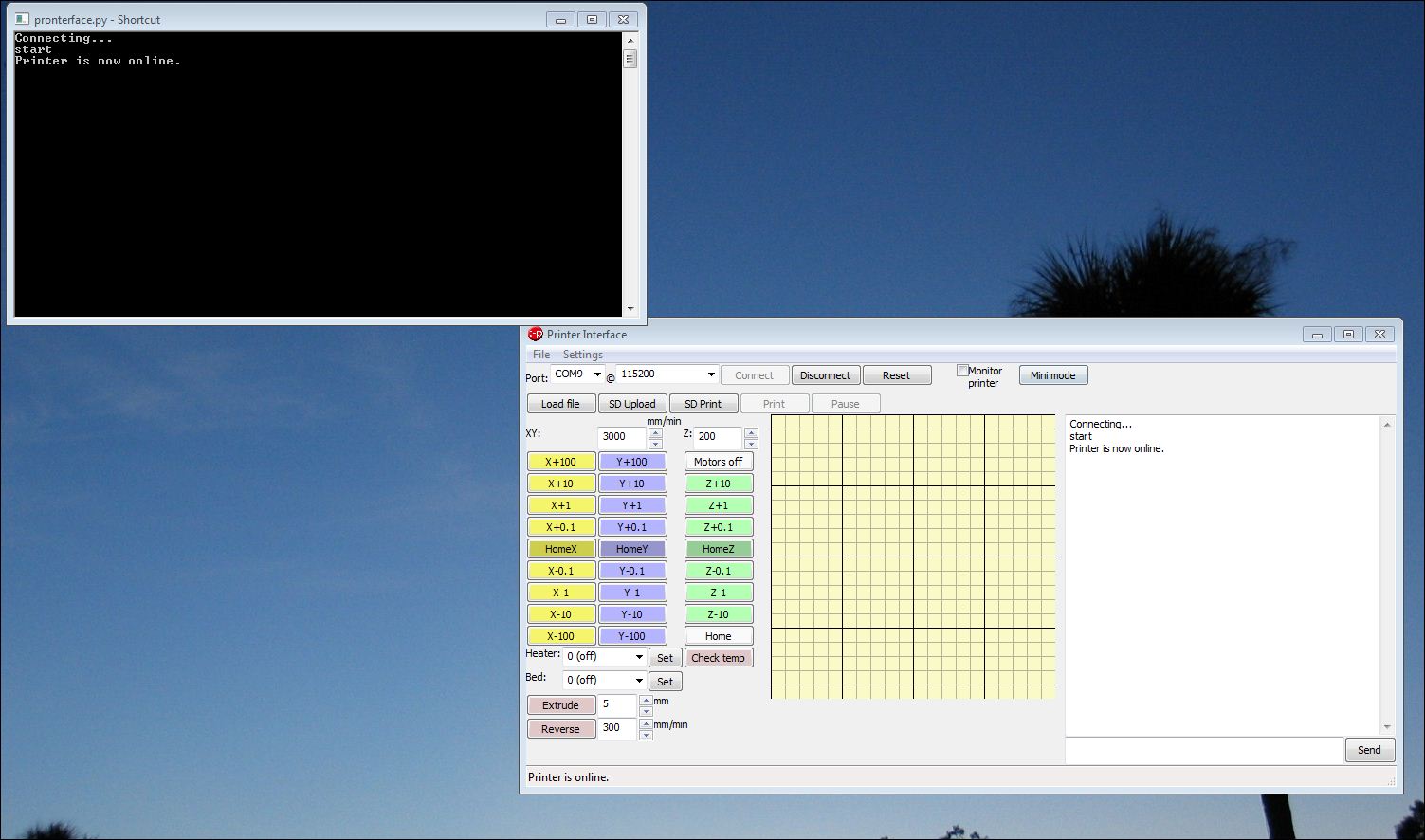
This is what it looks like when you first load pronterface.
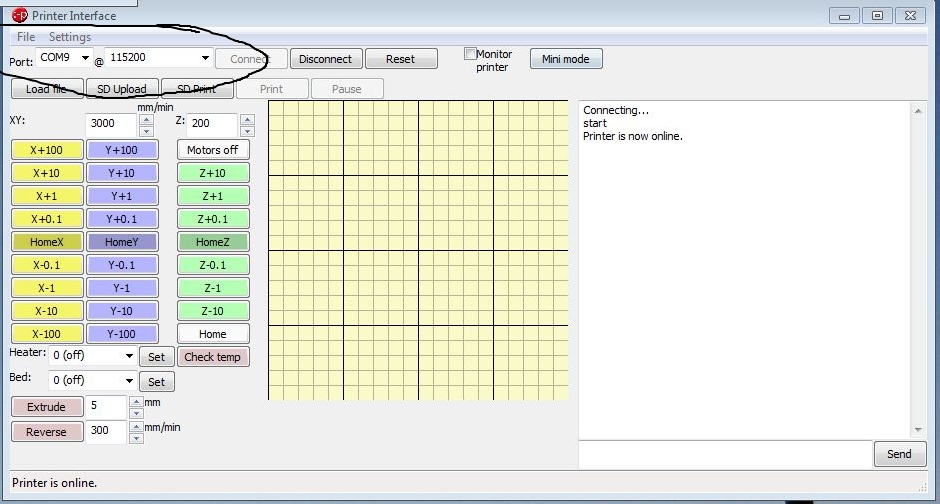
Make sure the com port and speed are right...
The 12V (yellow) line and a black ground go to the RAMPS 1.2 board to power the steppers.
This particular RAMPS board is missing the optional diode that powers the Arduino Mega. This means 2 things. 1)The Mega is receiving power from the USB cable, and 2) the steppers can be driven with a higher voltage than the Mega can handle.
The Pololu drivers can take up to 35 volts. This could be handy if you need more speed or power. Right now, 12 volts is plenty.
Good news! No smoke. Bad news, no motion.
I followed this video to set up Sprinter firmware on the Mega. This is what turns the Mega into a reprap motherboard.
It turns out you need more. I loaded the reprap console to drive it, but kept getting a GUI error. I gave up and went back to the reprap main page. Too many choices and paths to follow. I decided to ask for help. I wen to the reprap IRC channel (#reprap).
I asked three times over a twenty minute period with no answers. Everyone was talking about something more interesting.
Come to find out, the same guy who made the video above, Neil Underwood (Spacexula) has made a bunch of good videos!
I found this one on Pronterface and Sfact that did the trick for me.
Make sure the com port and speed are right...
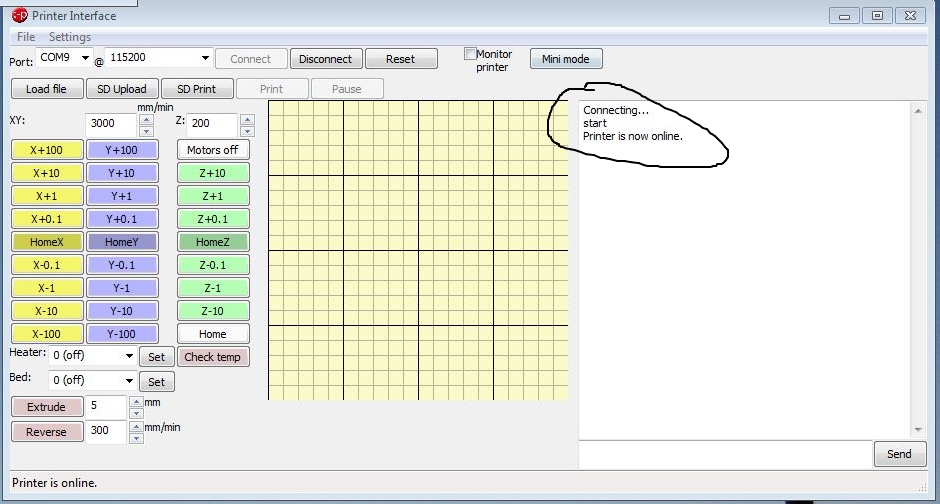
It's alive! I was able to jog all axes and move the extruder motor with these buttons.
When I first jogged the Z axis it just buzzed. I turned off the power supply and turned the potentiometer on the Pololu driver another quarter turn, giving it more amperage. I turned the power back on and now it jogs fine.
Some of the axes moved the wrong way when I hit the home button, but that should be a simple fix in the setup.
A few words about notifications. I have been announcing updates on a lot of different newsgroups. There is starting to be some blow-back due to the frequency of the updates.
I will no longer update those groups with every page. If you want to be kept apprised,
send an email to majordomo@plansandprojects.com with just "subscribe updateme" in the body of the email and nothing else. No signature, nothing. This will place your email address on a private list to receive updates similar to what you saw on the newsgroups. This list will be used for nothing else.
To be removed, send another email with just "remove updateme" in the body of the email. Nothing else. Each notification of a new update will also tell you how to be removed, in case you forget.
The wording has to be exact, or the software won't work.
I had to change this to automate it. I was getting too many requests to keep up by hand. If you used the previous method, I added you.
Thanks!
Navigate
in this series
First
Previous
Next
Last
Please leave a comment on the bottom of the page. Was this useful? What would you like to see different? Thanks.